![logo.svg]](https://help.singabusiness.com/hubfs/logo.svg)
I want to use Soundtrack Essential as my background music service. What do I do?
If you use Singa Business for karaoke, but don't yet have access to Soundtrack and want to start using it, please contact us at support@singabusiness.com. You can now also connect your own Soundtrack account to Singa Pro as background music!
How can I schedule my song station?
- Head over to Soundtrack.io
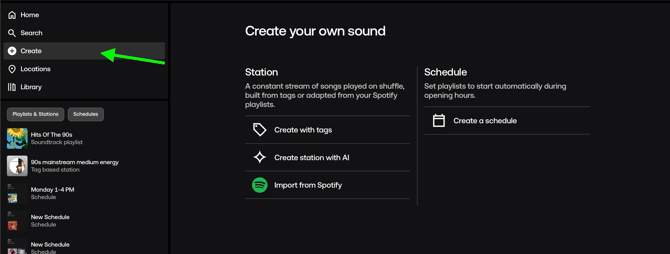
- On the Dashboard > Create > Create scheduling
- Follow the instructions from the Soundtrack Help Center
How can I create my own stations/playlist?
- Head over to Soundtrack.io
- On the Dashboard > Create
- Create a playlist by following the instructions from the Soundtrack Help Center
How can I cancel my Soundtrack subscription from Singa?
If you'd like to cancel your Soundtrack subscription, contact us at support@singabusiness.com.
I have issues with Soundtrack. What should I do?
If you are experiencing issues with Soundtrack Essential, please reach out to us via chat by tapping the chat button in the bottom-right corner of this page or visit the Soundtrack Help Page.
What licenses do I need for Soundtrack?
When you play music for an audience with a business and commercial purpose, you need different licenses. Check all national license requirements below:
To start using Soundtrack with Singa Pro, you first need to set Soundtrack as your default background music provider. Follow these steps on your iPad:
-
Open the Singa Pro app, tap Settings from the bottom menu, and select Background music.
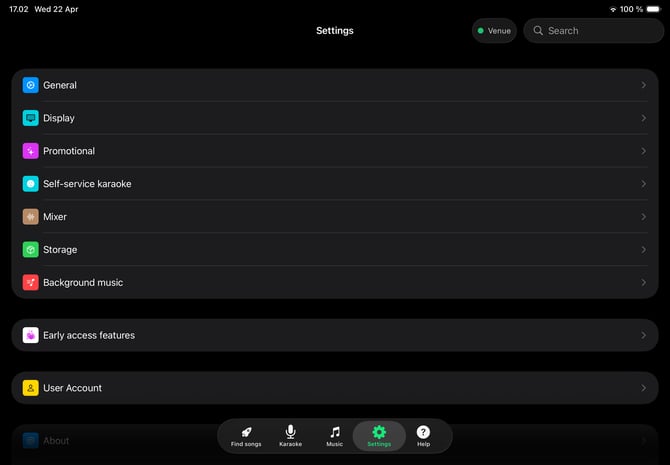
- In case your Singa iPad is used by customers directly, here's how to release the Singa Pro app from Kiosk mode or Box mode, in order to access these settings.
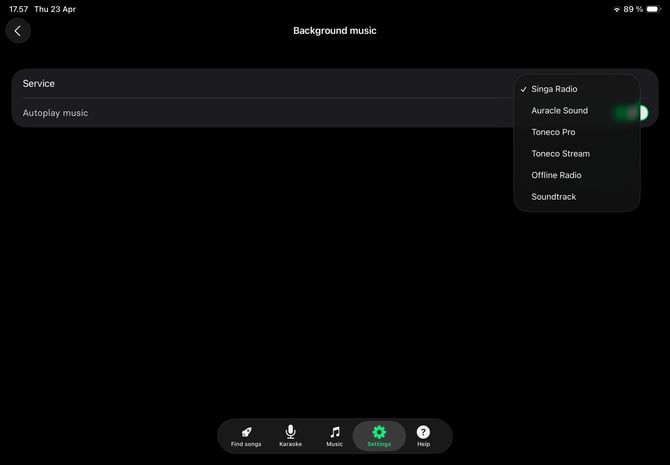
- Tap on Service and choose Soundtrack from the dropdown list.
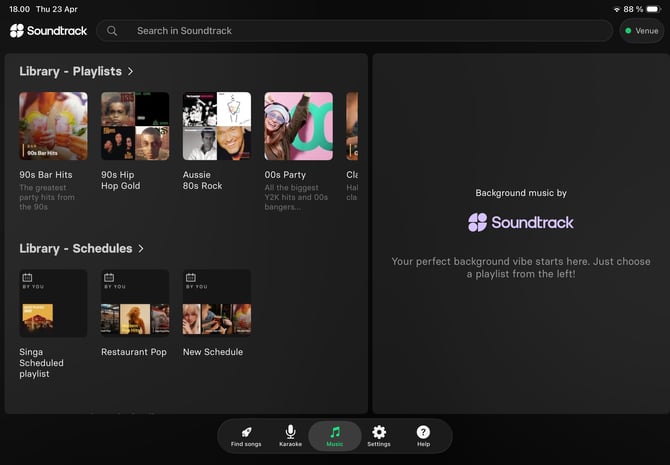
- Once selected, navigate to the Music tab located in the bottom menu of the Singa Pro app. Choose your Playback zone, the area of the venue where the iPad is used.
- You're all set! You can now browse your schedules and stations directly from the Singa Pro app.
- When you're finished setting things up on the iPad and are ready to put the iPad back into use by customers, go to Settings-> Self-service karaoke and tap:
- Enable Kiosk mode if your iPad is always ready for karaoke.
- Enable Karaoke Box mode if your venue uses time-restricted karaoke sessions.
- When you're finished setting things up on the iPad and are ready to put the iPad back into use by customers, go to Settings-> Self-service karaoke and tap: